
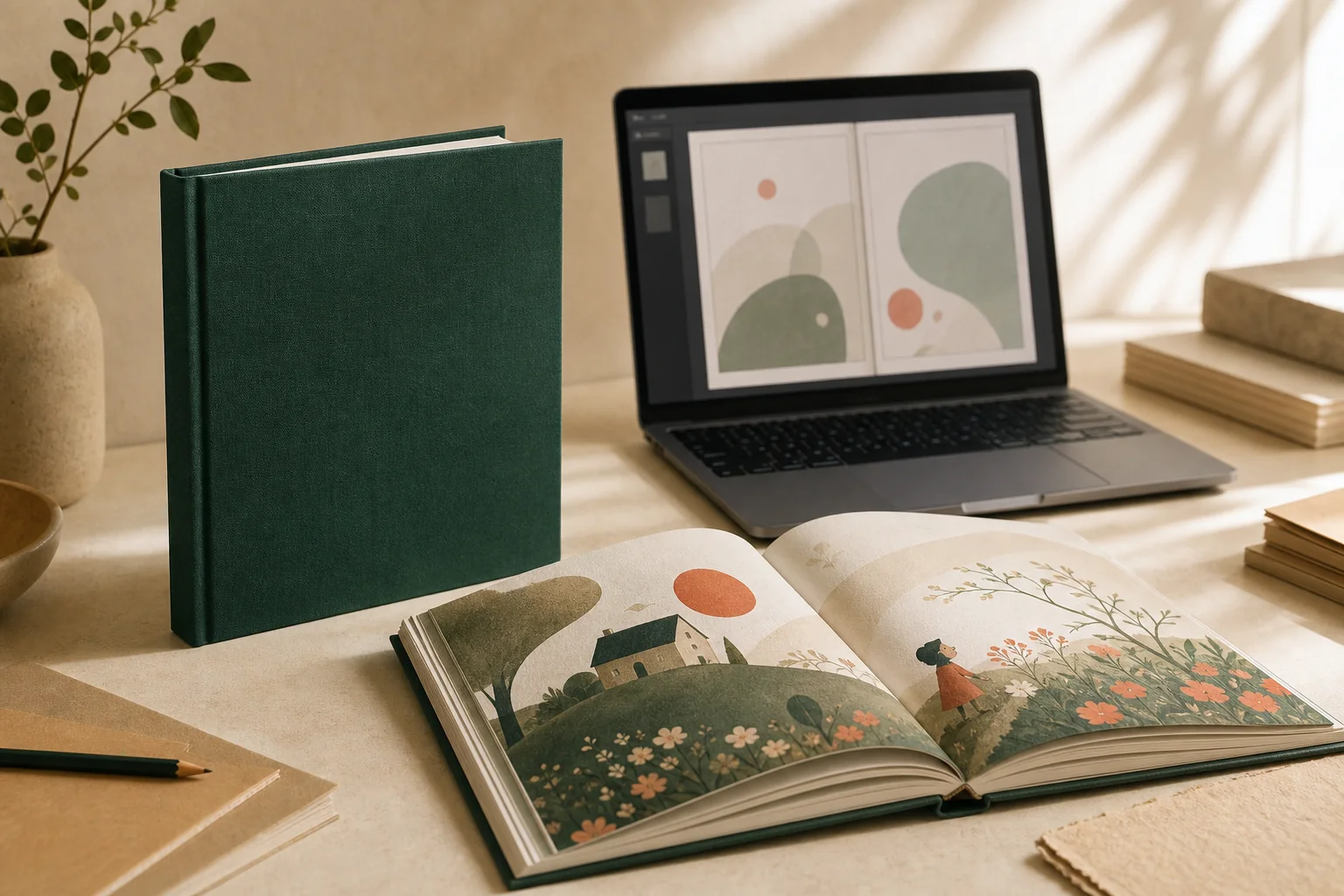
Yes—you can print a book from a PDF, even if you need only one copy. The file must contain the complete interior in the correct page order, and it still needs to be checked for page size, margins, image quality, fonts, bleed, and cover setup. A digital proof should be approved before the hardcover is printed.
Can a PDF be printed as a real book?
A PDF can become a professionally bound book because it preserves a page-based layout more reliably than an editable document. The printer receives a fixed sequence of pages instead of a document that may reflow when opened with different fonts, software, or page settings.
That does not mean every PDF is ready to send straight to a press. A PDF made for reading on a phone, sharing by email, or viewing as slides can have the wrong page dimensions, compressed images, missing bleed, or content positioned too close to the edge. The practical question is not only “Can this file open?” but “Can this exact file be manufactured as the book you expect?”
Several major services use PDF-based book workflows. Blurb, for example, publishes a detailed PDF-to-book checklist, and Pixartprinting describes a process of uploading a PDF, selecting book options, and ordering from one copy. These pages also show why first-time customers can feel overwhelmed: page dimensions, paper, binding, color, cover geometry, and proofing all affect the result.
Rights matter. Only upload material you created or are authorized to reproduce. Finding a PDF online does not automatically give you permission to print it. YourBookBound’s service is for customer-owned or properly authorized content.
Is every PDF print-ready?
No. “Uploadable” and “print-ready” describe different things.
An uploadable file can be received, opened, and inspected. A print-ready file also matches the production specifications for the chosen book. The final page size is correct. Important content sits inside safe margins. Artwork that reaches an edge includes bleed. Images are suitable for their printed size. Fonts and transparency behave as expected. The cover and spine match the final page count and binding.
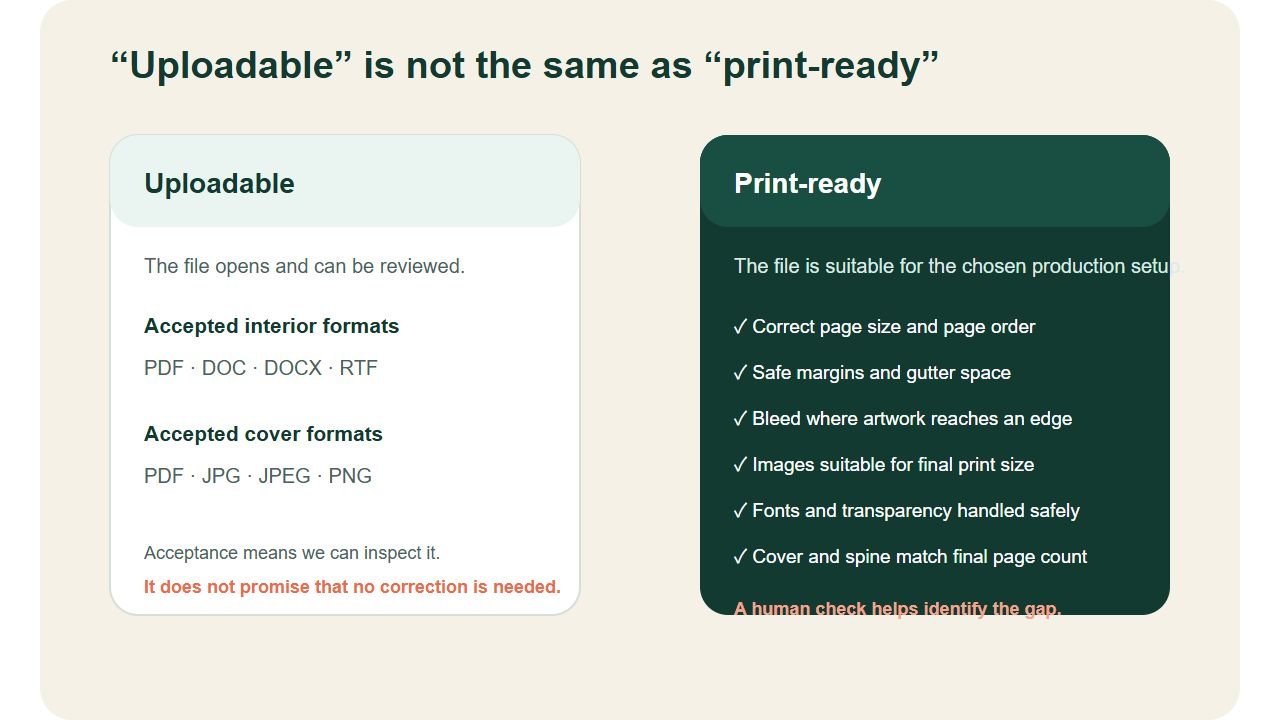
This distinction is central to YourBookBound’s service. You may upload a PDF, DOC, DOCX, or RTF interior file. If you already have a separate cover, you may add a PDF, JPG, JPEG, or PNG. The free file check then determines whether the file is ready, needs technical correction, or needs layout preparation. Technical file correction, layout and cover preparation are included in one $99 USD service.
What should you check before printing a book from a PDF?
1. Is the interior complete and in final reading order?
Use one interior file containing every page you expect inside the book. Check the title page, copyright or dedication page if used, story pages, blank pages, acknowledgments, and final page. Page numbers should progress correctly, and deliberate blanks should remain in place.
A printer should not guess whether an apparently blank page is intentional. The proof stage can reveal an unexpected blank, but the cleanest starting point is a file whose page order is already final.
2. Does the PDF use the intended page size?
A PDF can look normal on screen while using Letter, A4, a presentation slide size, or a custom canvas. Changing that size later can alter margins, enlarge images, or create unexpected white space. The file check should compare the PDF page box with the intended finished trim size before a cover spine is finalized.
3. Are text and important artwork away from trim and binding areas?
Printed pages are trimmed, and bound pages lose some visible space near the gutter. Keep small text, faces, page numbers, and important illustration details away from those areas. Decorative backgrounds can extend to the edge, but critical content should not.
4. Does edge-to-edge artwork include bleed?
Bleed is extra artwork extending beyond the finished trim line. It prevents a thin white edge when paper shifts slightly during trimming. If a page is designed with a white border, bleed may not be needed. If color or illustration reaches the edge, it usually is.
5. Are the images suitable for their final size?
A small web image can appear sharp on a phone but soft when enlarged across a printed page. Resolution must be judged at the size the image will actually print. Avoid repeatedly saving or messaging images through apps that compress them. Keep the highest-quality originals available in case a replacement is needed.
6. Are fonts, transparency, and fine lines stable?
Missing fonts can change line breaks or substitute characters. Transparent effects, very fine strokes, and complex vectors can also behave differently in production. Blurb’s PDF guidance recommends reviewing the exported file in Adobe Acrobat Reader and checking for missing or reflowed text, page boxes, and overprint behavior. Adobe also provides a press-ready PDF workflow for advanced users.
7. Does the cover match the final book?
The cover is not just a front image. A hardcover wrap normally has front, spine, back, and production allowances based on the exact book size, binding, paper, and page count. For that reason, it is safer to finalize the spine after the interior and final page count are confirmed.
What happens after you upload your file?
A self-service platform usually asks you to choose specifications and resolve file warnings yourself. An assisted workflow moves those decisions into a human review.
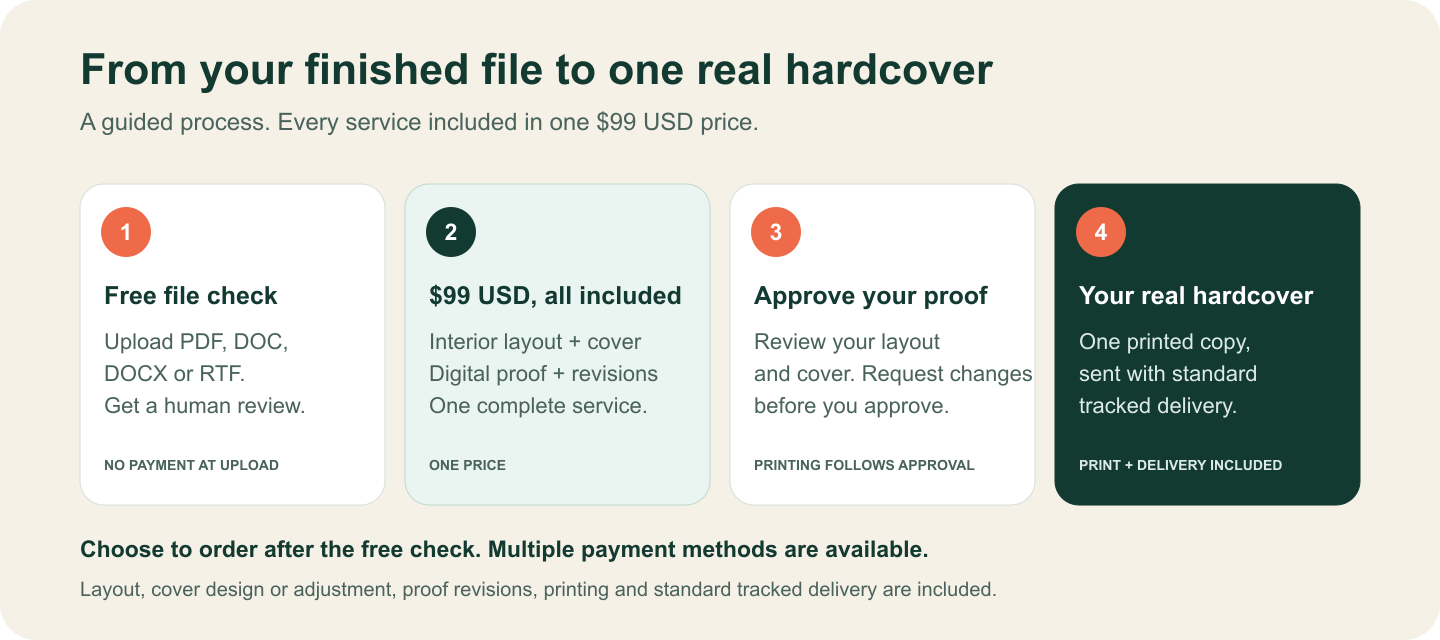
At YourBookBound, the sequence is:
- Upload the file for a free human check. No payment is required. Add a note if you are unsure about your file.
- Receive your file-check findings. We explain the technical corrections, layout and cover preparation included in the same $99 USD service.
- Review the findings, choose to continue and pay $99 USD once through a secure payment link using an available payment method.
- Review the digital proof. Printing begins only after you approve the prepared book.
- Receive one finished hardcover. Standard tracked shipping is included in the approved price.
This approach is designed for customers who would rather send the file they have than learn every production setting first.
How much does one PDF-to-book copy cost?
There is no universal price for printing a book from a PDF. Self-service calculators usually change the total according to page count, size, color, paper, binding, quantity, production speed, and destination. Some services show a very low print cost before shipping or before file preparation work. Others require more than one copy; for example, PrintingCenterUSA’s PDF-book page currently describes quantities from five upward, even though it provides a complimentary file checklist review.
YourBookBound offers one fixed $99 USD service after the free file check, including:
- File preparation: technical review, file corrections and interior layout;
- Cover and proof: cover design or adjustment and spine setup and a digital proof with revisions before approval;
- Your finished book: one hardcover and standard tracked shipping.
The complete service costs $99 USD. YourBookBound does not add separate file-correction, layout, cover-preparation, production or standard-shipping fees. The price includes human preparation and the physical book.
What can a digital proof confirm—and what can it not?
A digital proof is your final chance to review the prepared book before production. Check:
- page order and deliberate blank pages;
- missing, shifted, or reflowed text;
- cropping near edges and the gutter;
- cover orientation, front/back placement, and spine alignment;
- obvious low-resolution or layout warnings already disclosed;
- names, dates, spelling, punctuation, and captions.
A screen proof cannot perfectly reproduce paper texture, binding feel, or every color difference between a display and printed ink. It is also not a substitute for proofreading. If a spelling or layout issue is visible in the approved proof, it is not treated the same as a production defect introduced after approval.
How long does PDF-to-book printing take?
Separate the timeline into three parts: file preparation, production, and delivery. File preparation depends on how quickly questions are answered and the proof is approved. After payment and proof approval, YourBookBound normally completes production and dispatches from China within three calendar days. International delivery typically takes approximately seven days after dispatch.
Those are operating targets and estimates, not a guarantee against carrier, customs, weather, or address delays. If the book is for a birthday, holiday, school event, or presentation, allow contingency time instead of counting backward from the typical delivery estimate alone.
Should you use DIY print-on-demand or an assisted one-copy service?
Use a self-service print-on-demand platform when your file is demonstrably print-ready, you understand the specifications, and minimizing the base print cost matters more than having a person guide the setup. Lulu, Blurb, B&N Press, and Pixartprinting all appear prominently in current US search results and give customers broad format choices.
Use an assisted service when you are unsure whether the file is ready, want one fixed total that includes standard shipping, need help matching the file to a viable production setup, or want a human checkpoint before payment. The higher service price pays for guidance and predictability, not merely ink and paper.
Frequently asked questions
Can I upload a Word document instead of a PDF?
Yes. YourBookBound accepts DOC, DOCX, and RTF interior files for the free review. Editable documents often need conversion or layout preparation because fonts and page breaks can change. Conversion and layout preparation are included in the same $99 USD service.
Do I need a separate cover file?
No. A separate cover is optional at first upload. If you have one, accepted cover formats are PDF, JPG, JPEG, and PNG. Cover and spine preparation are included in the $99 USD service.
Can I print a PDF I downloaded from the internet?
Only if you own the rights or have permission to reproduce it. Personal use does not automatically override copyright. Do not upload unauthorized books, scans, artwork, translations, or other protected material.
Will the PDF be publicly published?
No. YourBookBound’s standard service is private production of the physical copy you order. It does not include retail listing, distribution, or public publishing.
Start with a free file check
Upload the file you have for a free human check.
There is no payment at upload. We check the interior and optional cover, then explain the production plan for the $99 USD service.
Sources reviewed: Blurb PDF to Book; Pixartprinting Book Printing; Adobe print-ready PDF guidance; PrintingCenterUSA PDF Book Printing. Competitor features and prices can change; they were reviewed on August 25, 2026.